
Invoice Template
Four free invoice templates to download and fill in with the software you already use: a fillable PDF, a Word file and an Excel sheet that adds up for you. Want to type on the page instead? Use the invoice generator.
Files are made in your browser. Nothing is uploaded.
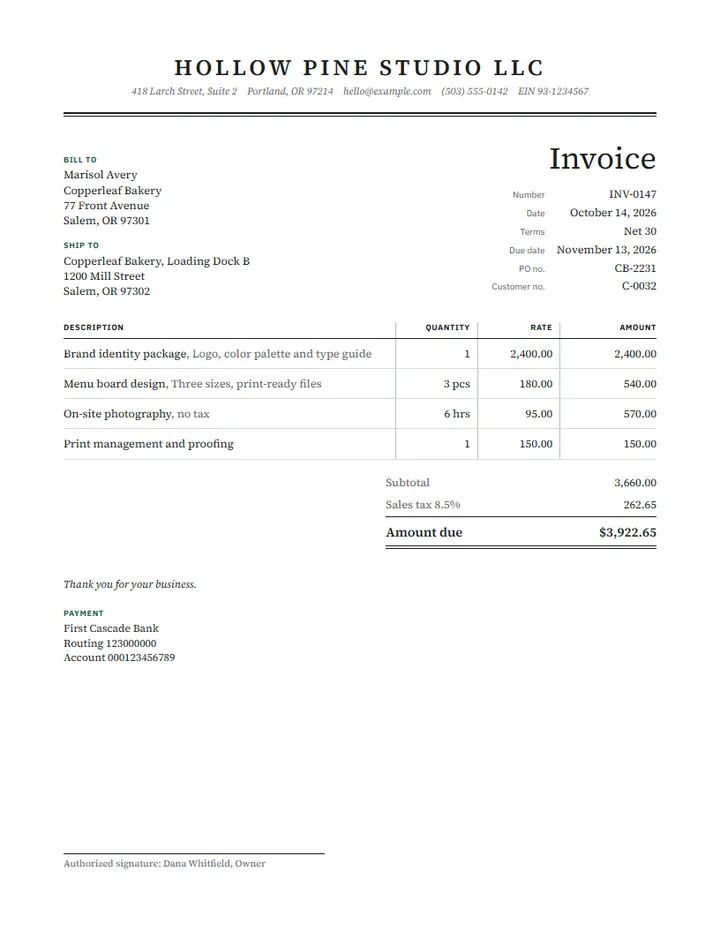
Standard invoice template
Best for: Products or mixed items, with sales tax on some lines
Description, quantity, unit price and a Taxable column, so sales tax lands only on the lines you mark Y.
Fill it online instead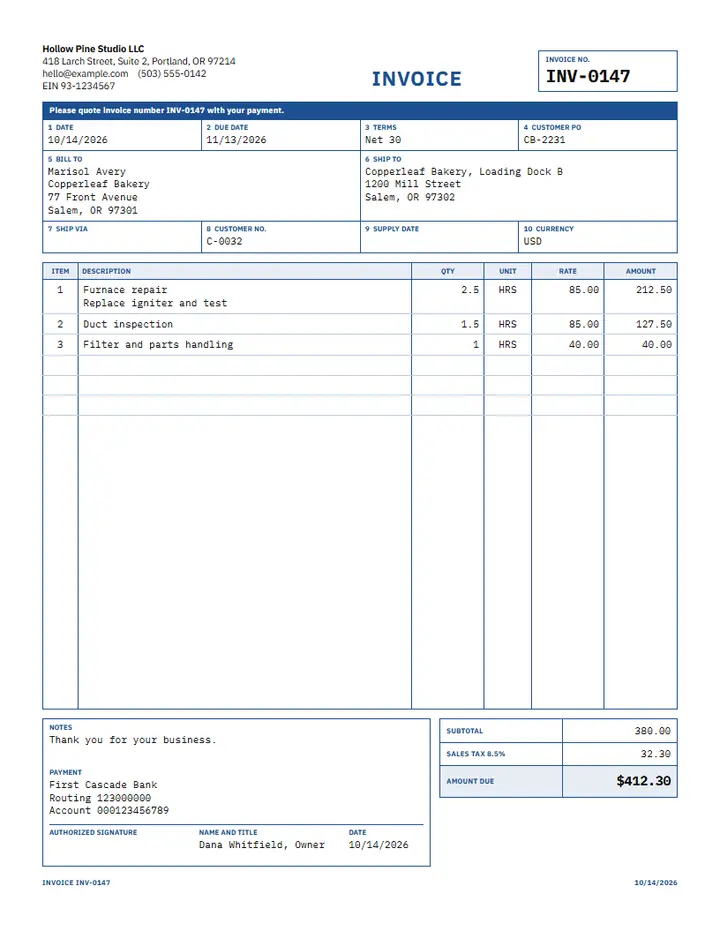
Hourly service invoice template
Best for: Repairs, consulting, cleaning and other work billed by the hour
A date for each job, hours and an hourly rate, with tax charged on the whole subtotal.
Fill it online instead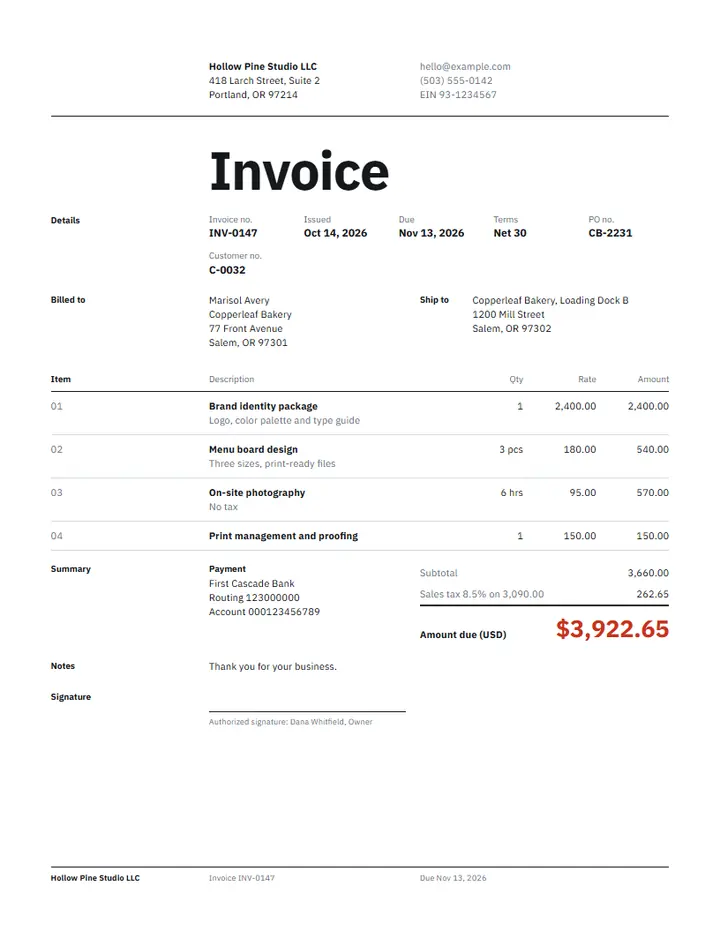
Freelance invoice template
Best for: Designers, writers, developers and other project work
Deliverables priced by quantity or hours, a line for reimbursable expenses, and a deposit that comes off the balance.
Fill it online instead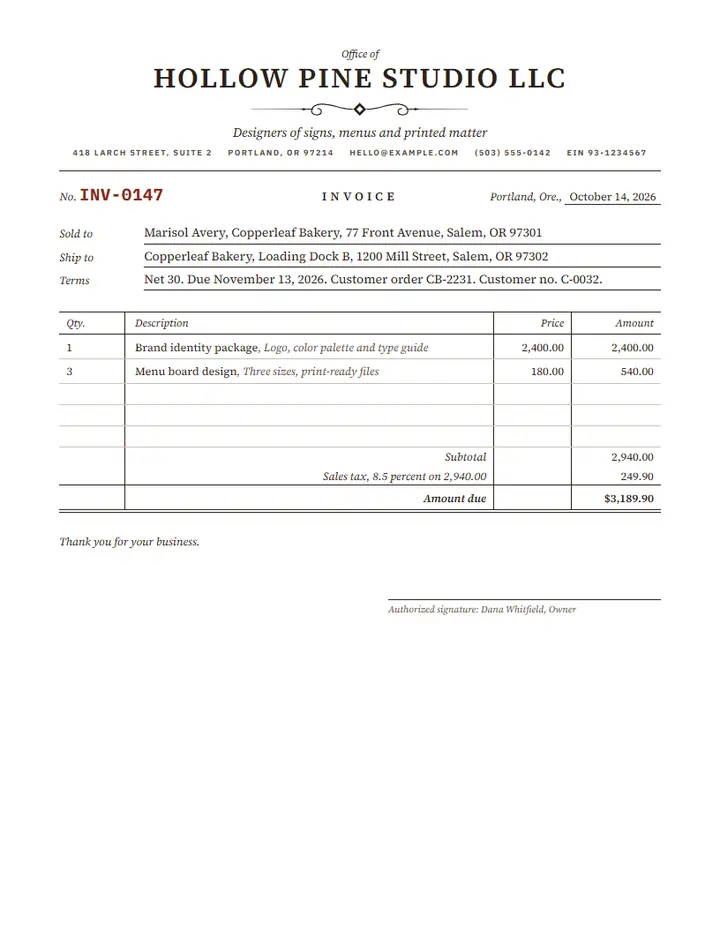
Simple invoice template
Best for: One-off jobs and small sellers who need a description, a price and a total
Description, quantity and price, with an optional tax rate on the whole subtotal and a total. No discount, shipping or deposit rows.
Fill it online instead
- Files stay on your device. Nothing is uploaded.
- Free, no sign-up, no daily limit.
- Works with Wi-Fi off once the page has loaded. Check it yourself
Updated by Khokhar Sab
What should an invoice include?
GOV.UK lists a unique invoice number, your company name, address and contact details, the customer's name and address, a clear description of what you charge for, the supply date, the invoice date, the amounts charged, any VAT and the total owed. Each template has a place for these; type the supply date in the notes.
Those are UK rules. In the US, the IRS lists invoices among the supporting documents for your income and costs, and says to keep records for as long as they may be needed, which means until the period of limitations for that return runs out. Check the rules where you trade, and add your tax ID if your country asks for it.
Which invoice template is best: Word, Excel or PDF?
Excel is the best fit when you want totals worked out for you, because the line amounts, tax and balance are formulas. Word suits free editing of the layout and wording. The fillable PDF suits printing or filling on a screen, and keeps the design exactly. Only the Excel sheet does arithmetic.
- Excel (.xlsx): shaded cells are yours to fill, every other cell is a formula. It works in Excel, and in any spreadsheet app that opens .xlsx files.
- Word (.docx): real tables you can resize, recolor and add rows to. Type the amounts yourself.
- PDF: the design from the invoice generator, with form fields over every blank. Fill it in any PDF reader, then sign the PDF if you need a signature.
What do the Excel formulas do?
Each sheet has the same layout: your business at the top, the invoice number and dates at the right, a Bill to block, the item table and the totals. The standard version works like this, with each cell below taken from the file itself.
| 3 printed mugs at $19.99 (marked Y for taxable) | 59.97 |
|---|---|
| 2 hours of design at $45.50 (marked N) | 91.00 |
| Subtotal | 150.97 |
| Discount, 10% of the subtotal | -15.10 |
| Sales tax, 8.25% on the mugs after their share of the discount | 4.45 |
| Shipping | 12.00 |
| Total | 152.32 |
| Deposit paid | -50.00 |
| Balance due | 102.32 |
Every version has its own set of formulas, listed here from the code that writes the files.
- Standard invoice
- Each line amount = quantity x price, rounded to the cent. Subtotal = the sum of the line amounts. Discount = subtotal x discount rate. Tax = the lines marked Y, less their share of the discount, x tax rate. Total = subtotal - discount + tax + shipping. Balance due = total - paid so far. Due date = invoice date + days to pay.
- Hourly service invoice
- Each line amount = quantity x price, rounded to the cent. Subtotal = the sum of the line amounts. Tax = subtotal x tax rate. Total = subtotal + tax. Balance due = total - paid so far. Due date = invoice date + days to pay.
- Freelance invoice
- Each line amount = quantity x price, rounded to the cent. Subtotal = the sum of the line amounts. Tax = subtotal x tax rate. Total = subtotal + tax + expenses. Balance due = total - paid so far. Due date = invoice date + days to pay.
- Simple invoice
- Each line amount = quantity x price, rounded to the cent. Subtotal = the sum of the line amounts. Tax = subtotal x tax rate. Total = subtotal + tax. Due date = invoice date + days to pay.
Each line amount is rounded to the cent and the tax is rounded once. The tax rate and the discount rate are plain percentages: type 8.25% and Excel stores it correctly. Amounts have no currency symbol, so the sheets work in any currency.
What is the difference between an invoice, a receipt and an estimate?
An invoice asks a customer to pay for work done or goods sent. A receipt confirms that the payment arrived. An estimate offers a price before the work starts and is not a bill. A proforma invoice sits between the two: it lists what a buyer will pay before shipping, often for customs or a deposit.
Make each one with its own page: the estimate template, the quote template for a fixed price, the receipt maker, the proforma invoice for advance billing, or the commercial invoice template for exports. A credit note cancels part or all of an invoice you already sent.
How should I number my invoices?
Give every invoice its own number and never reuse one, since GOV.UK lists a unique identification number as required. A prefix and a running count works well, such as INV-0042, then INV-0043. The Excel sheet starts at INV-0001 and you type the next number each time. Year-based numbers such as 2026-017 also work.
What does Net 30 mean on an invoice?
Net 30 means the full amount is due 30 days after the invoice date. In the Excel sheet, type the invoice date and the days to pay, and the due date fills itself in: an invoice dated October 12, 2026 on Net 30 is due on November 11, 2026.
Net 15 means 15 days and Due on receipt means right away. Write the terms on the invoice in plain words, and put any late fee in the notes, worded the way your contract with the client says.
How do I fill in the fillable PDF template?
Open the PDF in any PDF reader, click a gray box and type. Press Tab to jump to the next box, which follows reading order from top to bottom. Save the file under a new name for each invoice. Boxes are plain text, so type amounts yourself or use the Excel sheet when you want totals added up.
Prefer a printed copy? Print the blank PDF and write on it. If a reader does not show the boxes, open the file in a web browser such as Chrome or Edge, which fill PDF forms without extra software. To check or change the boxes, use Fill PDF or Create fillable PDF.
Limits
- Only the Excel sheet calculates. The PDF and Word files are blank forms to type into.
- One tax rate per invoice. The standard sheet can leave some lines untaxed with N, but it cannot tax two lines at different rates.
- No e-invoice formats such as UBL or Factur-X, which some governments require between businesses.
- The formulas are checked by reading each file back and comparing the cells with hand-worked numbers. Excel recalculates every sheet when it opens.
- The date column of the hourly version is in the Excel and Word files; on the boxed PDF design, put the date in the work description.
Frequently asked questions
Are the templates free?
Yes. No sign-up, no watermark and no limit on how many invoices you make from them.
Are my details uploaded?
No. The files are made in your browser. The business name you type is used for the downloads and goes nowhere else.
Can I add my logo?
In the Word file, click the header area and insert a picture. To place a logo on the page automatically, use the invoice generator, which accepts PNG, JPG, WebP and SVG.
Can I use A4 paper?
The downloads are Letter size. The Excel sheet fits one page wide and prints on A4 or Letter. The invoice generator offers an A4 option for the PDF.
Do these work for UK or EU VAT invoices?
They have a tax rate and a tax line, and the Standard and Hourly versions show the tax separately. A VAT invoice needs your VAT number and the supply date, so add them in the notes or use the invoice generator, which has fields for them.
Related document makers
How this tool was built and tested
- GOV.UK: Invoicing and taking payment from customers, Invoices: what they must include: the nine things an invoice must show
- IRS Publication 583, Starting a Business and Keeping Records: invoices as supporting documents, and how long to keep records